Snöbollseffekten – how do I get in?
This guide shows the simplest way into Snöbollseffekten when the forum account must already exist first and the invite code has to be saved in the forum profile before the Tools-side onboarding request is started.
Important: The screenshots are illustrative. Headings, buttons, and some body text may have changed a little since the images were captured. Follow the meaning of each step even if the exact wording on the page is not identical anymore.
Overview
In practice, the flow looks like this:
- register your forum account in Tornis/vBulletin
- save the invite code in your forum profile during registration or immediately afterwards
- open the Snöbollseffekten onboarding page in Tools once the account already exists
- start the actual onboarding request
- open the personal status page, confirm that access is ready, and continue from there
1. Register your forum account first
The most important step is that the forum account is created first. The invite code needs to be tied to a real account, so start in the forum registration flow.
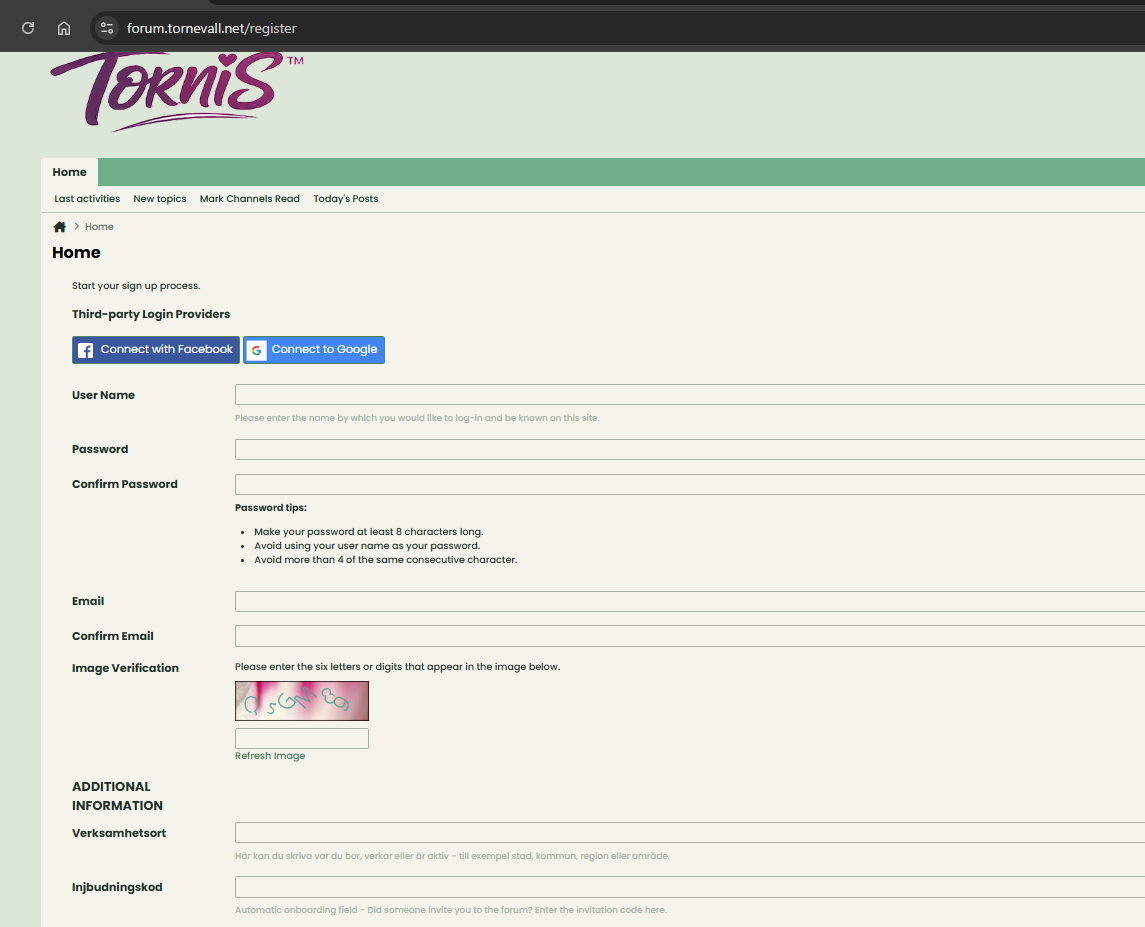
If you already have the invite code, you can enter it during registration directly. Otherwise, save it in the profile immediately after the account has been created.
2. Save the invite code in the correct field
On the registration page or in your forum profile, there is an invitation-code field. Enter the code exactly as it appears in the invite link or message you received.
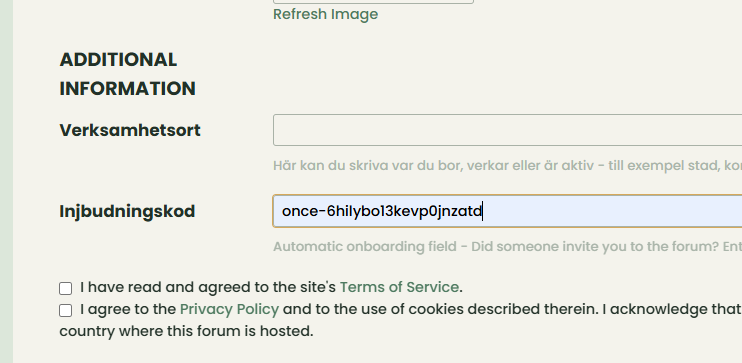
Finish saving the registration or profile change before you continue.
3. Open the onboarding page in Tools once the account is ready
Once the forum account exists and the invite code has been saved, open the Snöbollseffekten onboarding page in Tools. That page explains the track and lets you continue after everything is already prepared.
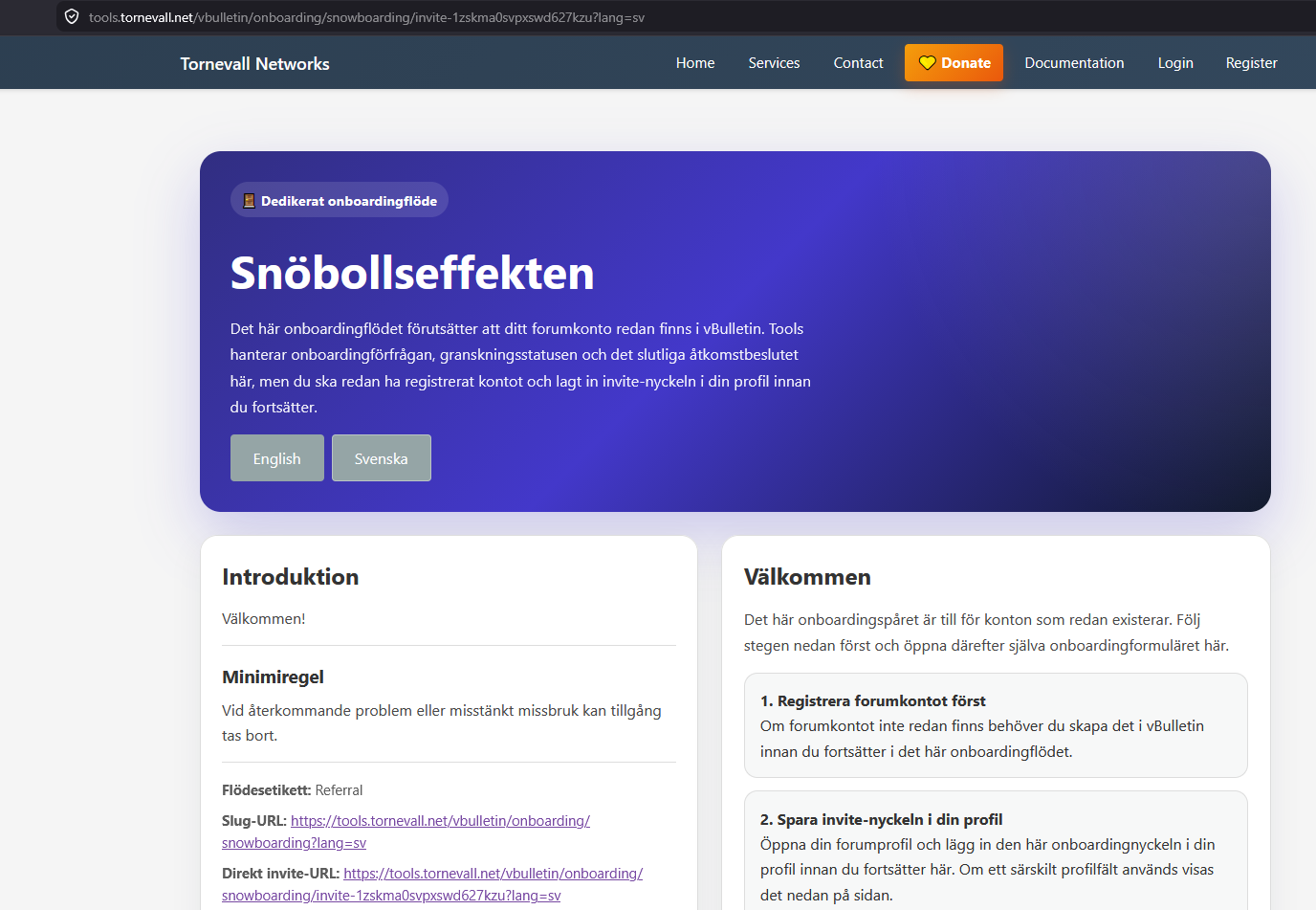
If the administrators have configured a dedicated welcome message, it may also appear here before you continue.
4. Continue from the Tools page
Once the forum account exists and the invite code has been saved in the profile, the Tools page shows the instruction to continue from there.
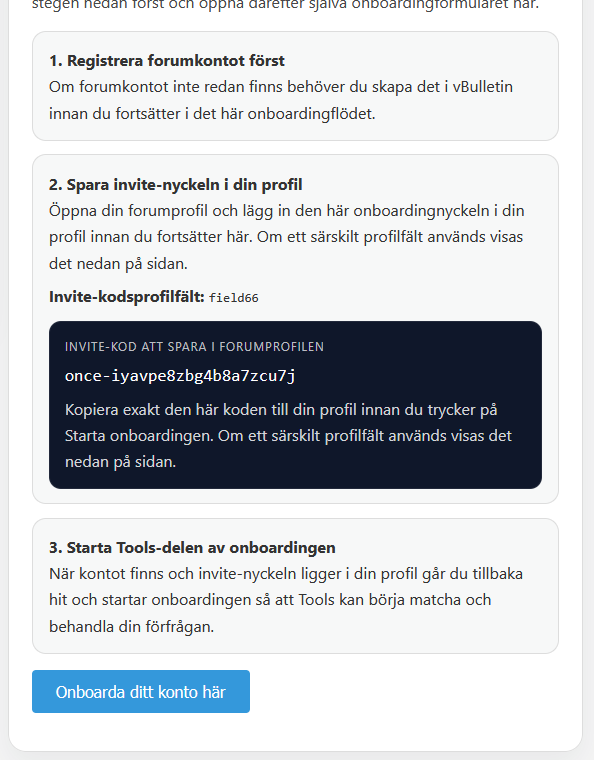
5. Start the actual onboarding request in Tools
The last step on the invite page is to start the actual onboarding request in Tools.
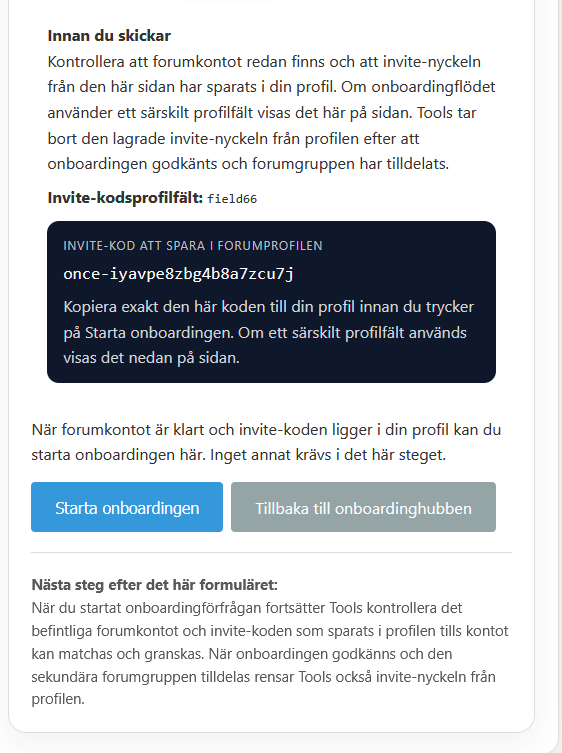
After you submit this step, Tools starts trying to match the forum account and the invite code that was already stored in the forum profile.
6. Confirm that onboarding is complete on the status page
After onboarding has been started, you get your own personal status page. When everything is working correctly, that page clearly shows that onboarding has been approved, the forum account is linked, and access is ready. Only then do you continue manually to the forum from that page.
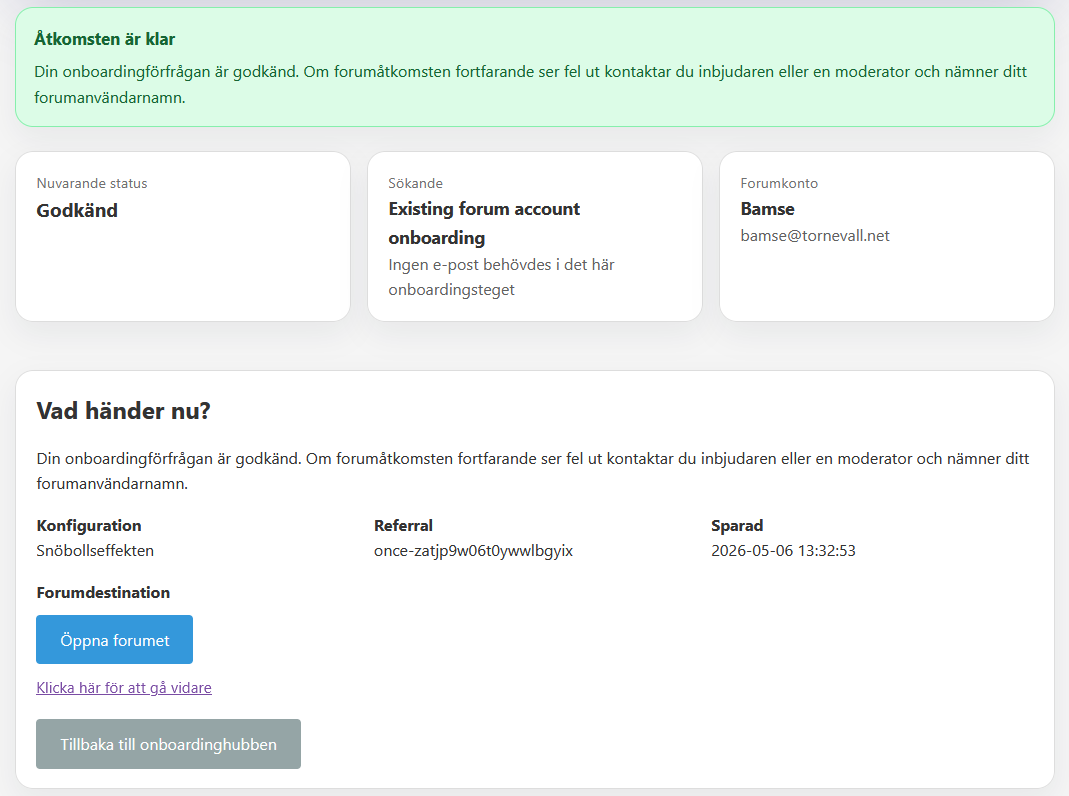
It is normal if the last screenshot no longer matches the page word for word. The status page continues to evolve, but the purpose is the same: once access is ready, the page makes that clear and also provides the link/button the applicant uses to continue manually to the correct forum destination.
Quick checklist
If you get stuck, check these three things first:
- the forum account was actually created successfully
- the invite code was saved exactly as shown
- you opened the Tools page only after the account and invite code were already ready, and then started the onboarding step there
If it still does not work, contact the inviter or a moderator and mention that the problem concerns Snöbollseffekten.